
.svg)

Month End Close Checklist for Accounting Firms (Free Template)

Ask questions, get summaries, or uncover key takeaways from this article.

Blog Summary / Key Takeaways
- What a month end close checklist actually controls and why most checklists fail
- The full step-by-step checklist your team can use every month
- Which accounts to reconcile, in what order, and what evidence to require
- A realistic 5-day and 10-day close timeline with owners
- The real scenario where a checklist alone failed and what fixed it
- A free Excel + PDF template download
Every month, the same thing happens. The team works through the close. Tasks get checked off. The books look done. Then a client finds an error three weeks later.
The checklist was not the problem. The problem was that "done" meant tasks were completed not that accounts were validated.
This guide gives you a month end close checklist built around review, not just completion. You get the full step-by-step process, the accounts to reconcile, a realistic timeline, a real scenario from a firm that fixed this exact problem, and a free Excel + PDF template you can download and reuse every month.
Quick Answer: A month end close checklist is a repeatable control tool that assigns owners, requires evidence, and enforces reviewer sign-off so the close is defensible not just complete. The six phases are: pre-close readiness, lock inputs, post adjustments, reconcile balance sheet accounts, account-level review, and approvals + lock.
What Is a Month End Close Checklist?
A month end close checklist is a structured list of tasks, review steps, and approvals used to finalize monthly financials. A strong checklist assigns owners and due dates, requires evidence links, tracks dependencies, and includes reviewer sign-off.
"Done" means accounts tie out not that tasks were checked off.
Most checklists fail because they track activity, not validation. You can reconcile the bank account and still miss an AP cutoff issue. You can post accruals and still have clearing accounts hiding breaks. That gap between task completion and account accuracy is what a real close checklist closes.
Why Most Checklists Produce False Closes
A false close happens when tasks show complete but the books are not actually right. These are the patterns that cause it:
- No evidence requirements → explanations stay verbal → you cannot defend numbers later
- No review thresholds → reviewers chase noise → important issues get missed
- No definition of done → tasks show complete → stale reconciling items survive the close
- No change control → late entries keep landing → review churn never ends
Fix these four things and your close becomes predictable. Keep ignoring them and no checklist will save you.
Who Needs a Monthly Close Checklist?
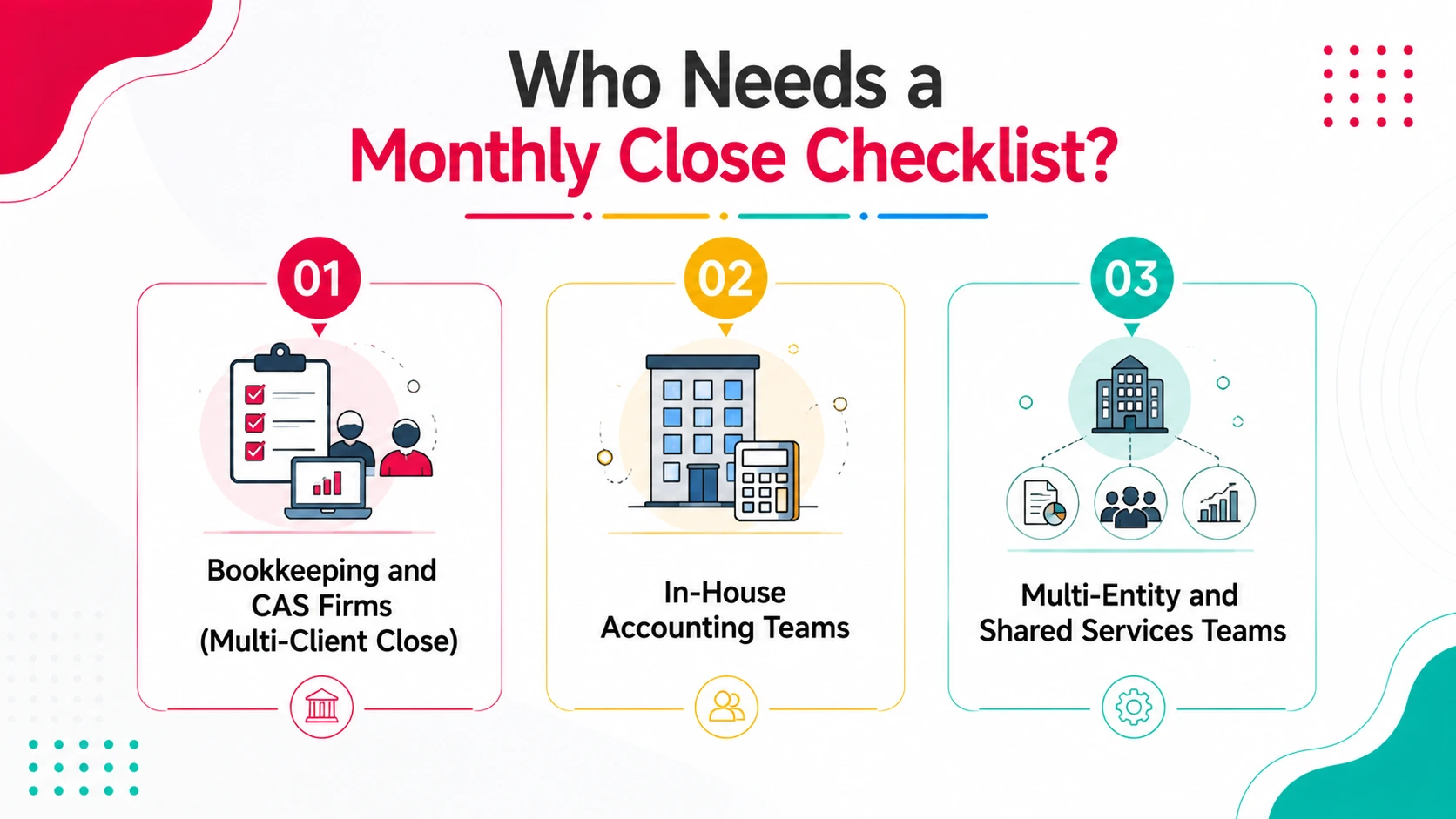
This checklist works for any accounting team running a repeatable monthly cadence. The structure looks different depending on your setup but the control principles stay the same.
Bookkeeping and CAS Firms (Multi-Client Close)
Firms managing 20–200+ client files need consistency across reviewers and clients. Without a standard checklist, quality depends on which senior staff member happens to be reviewing that month. That creates inconsistency and inconsistency creates errors that reach clients.
For firms, the checklist also needs to answer one key question clearly: what is blocked right now, and why?
In-House Accounting Teams
In-house teams need clear dependencies between upstream operations and accounting. Payroll timing and billing cutoffs drive when you can post accruals. Without a checklist that maps these dependencies, the close starts too early or too late every single month.
Multi-Entity and Shared Services Teams
Multi-entity closes need staged reviews entity close first, then intercompany reconciliation, then consolidation. A checklist that does not account for entity sequencing will create rework at the consolidation stage every month without exception.
The Month End Close Checklist (All 6 Steps)
Use this as your standard process every month. The order matters. Each phase creates the inputs for the next one. Skipping ahead means going back.
| # | Phase | Key Tasks | Evidence Required |
|---|---|---|---|
| 1 | Pre-close readiness | Confirm period cutoff dates. Assign owners and reviewers by account group. Set materiality thresholds. | Cutoff email, account ownership list, calendar |
| 2 | Lock inputs + source data | Bank feeds confirmed complete. AR aging, AP aging, payroll reports, processor statements captured. | Saved statements and reports with dates |
| 3 | Post month-end adjustments | Payroll accrual, prepaid amortization, depreciation, interest accruals, reclasses — all with support and approval. | JE support, calculation files, reversal logic |
| 4 | Reconcile balance sheet accounts | Bank, credit cards, AR, AP, payroll liabilities, clearing accounts, taxes payable, loans — all tied to statements. | Reconciliations that tie to source statements |
| 5 | Account-level review | P&L flux review with written explanations. Balance sheet integrity check. No uncategorized items above threshold. | Flux notes, exception log with resolution actions |
| 6 | Approvals, lock, and reporting | Reviewer sign-off by account group. Period locked. Reports issued with variance notes. Support archived. | Sign-off dates, archived workpapers, change log |
Download the free Excel + PDF version: xenett.com/month-end-close-checklist
The download includes owner fields, due dates, status tracking, evidence link columns, and a definition of done for each task type. It also includes an exceptions log so recurring issues stop repeating.
Which Accounts to Reconcile Every Month (And What Evidence to Require)
Account reconciliation is where most closes break. Teams often reconcile cash and call it done. The accounts below are the minimum monthly set. Skip any one of them and you are accepting risk that will surface eventually usually at the worst time.
| Account | Owner | Evidence Required | Flag When... |
|---|---|---|---|
| Bank accounts (all) | Close lead / Staff | Bank statement + rec report | Items >30 days unexplained |
| Credit cards | Staff accountant | Statement + rec | Unmatched charges >$500 |
| Accounts receivable | AR specialist | Aging + unapplied cash list | Balances >90 days without plan |
| Accounts payable | AP specialist | AP aging + vendor checks | Debit balances, duplicates |
| Payroll liabilities | Senior bookkeeper | Payroll register + tax filing | Any variance vs. register |
| Clearing / suspense | Controller | Transaction list + resolution plan | Any item >2 months old |
| Prepaids | Senior accountant | Rollforward tied to GL | New prepaids without policy |
| Deferred revenue | Senior accountant | Rollforward + contract notes | Amounts not tied to contracts |
| Loans and interest | Controller | Lender statement + amort schedule | Balance vs. statement variance |
Definition of Done By Account Type
Make done auditable, not assumed:
- Bank rec done = ties to statement, all items explained, reviewed and signed off
- AR tie-out done = aging ties to GL, unapplied cash reviewed, variances documented
- Accrual done = calculation saved, JE posted, approver recorded, reversal rules stated
- Flux review done = variances documented with source support — not just "timing" in a comment
When to Run Each Step: 5-Day and 10-Day Close Timeline
A realistic close timeline is built around dependencies — not optimism. If upstream inputs arrive late, you either extend the timeline or you accept higher risk. Here is the 5-day standard flow most bookkeeping firms use.
| Day | Focus | Key Tasks | Done When... |
|---|---|---|---|
| Day 1 | Lock inputs | Confirm bank feeds complete. Capture AR aging, AP aging, payroll reports, processor statements. | All source reports saved with date |
| Day 2 | Bank and card recs | Reconcile all bank and credit card accounts to statements. Clear suspense items. | Recs tie to statements, exceptions listed |
| Day 3 | Adjustments + AR/AP | Post accruals, amortization, depreciation. Tie AR and AP subledgers to GL. | JE support attached, subledgers tied |
| Day 4 | Review + corrections | Flux review on P&L and balance sheet. Fix exceptions. Log all open items. | Flux notes with written explanations |
| Day 5 | Approvals + lock | Reviewer sign-off by account group. Lock period. Issue reporting package. | Sign-off dates, archived support, change log |
10-Day Close — When It Makes Sense
A 7–10 business day close fits when you have multiple entities closing on different schedules, intercompany dependencies, consolidations, or inventory timing constraints. Stage the review in this order:
- Entity close and entity review first
- Intercompany reconciliation and elimination entries second
- Consolidated review and reporting last
Trying to compress this into 5 days without staged sequencing is the leading cause of month-end rework in multi-entity environments.
Where Most Month-End Closes Actually Break - A Real Scenario
Real Scenario
A 14-person bookkeeping firm managing 52 QBO clients had a checklist. It covered all the right tasks — bank recs, accruals, AR and AP review, flux review. Their team was experienced. Their close calendar was set.
Every month, the close finished on time. Every month, the partner signed off. And every few months, a client found something wrong after the fact — a duplicate transaction, a stale reconciling item in clearing, an accrual that reversed into the wrong period.
When we looked at their process, the checklist was complete. The problem was the evidence column — it was blank on 60% of tasks. "Done" meant someone said it was done. No reconciliation attached. No flux note. No reviewer sign-off with a date.
The fix was not a new checklist. It was making evidence and sign-off mandatory before status changed to complete.
Within two closes, late findings dropped significantly. Within 90 days, they had not reopened a single period. Same team. Same workload. The only change was enforcement — not effort.
How to Use the Month End Close Checklist Template (Excel + PDF)
The free template at xenett.com/month-end-close-checklist includes both formats Excel for execution, PDF for training and reference. Set it up in under 30 minutes on your first close.
Setup Steps (First Month Only)
- Define materiality and flux thresholds by account group what triggers investigation for cash vs. travel is very different
- Assign owners and reviewers by account group not by whoever is available that month
- Standardize evidence storage one folder structure, linked in the evidence column, not saved to personal desktops
- Set your period lock rules when does the freeze window start, and who can authorize exceptions
- Create your exceptions log tab every issue that surfaces during review gets logged with a root cause and owner
Excel vs. A Governed Workflow Layer
Excel works. Until it does not. Know which situation you are in before assuming your current setup will scale.
| Works fine when... | Breaks when... | Time to move on when... |
|---|---|---|
| Small team, one file, stable process | Multiple versions circulate via email | You reopen closed months repeatedly |
| One or two reviewers, low volume | Evidence lives in personal folders | Review standards differ by reviewer |
| Close cadence is predictable | Client or entity count scales up | Findings surface after reporting goes out |
| Senior reviewer always available | Turnover changes who knows the rules | Audit trail cannot be reproduced quickly |
If you are managing more than 20 clients or 3 entities, the breaks column starts showing up regularly. That is the signal it is time for a stronger system.
How Xenett Can Help
Month-end close errors are the most common challenge I see when accounting firms reach out to us. The checklist is not the problem. Review happens too late and evidence is never attached to the work.
Xenett fixes this by running account-level checks before you start manual review. It scans P&L and Balance Sheet automatically across 50+ review points catching bank-feed gaps, duplicate entries, uncategorized transactions, and flux anomalies the moment they appear.
Here is what that looks like in your workflow:
✓ 50+ AI review checks run automatically you review exceptions, not the full GL
✓ Entries checklist with full audit trail sign-off is tracked, not assumed
✓ AI Accruals (Prepaid, Payroll, Deferred Revenue) the most time-consuming close tasks automated
✓ Close Dashboard see every client's close status at a glance, no chasing
✓ Intercompany Reconciliation flags mismatches across entities the moment they appear
Accounting judgment stays with you. Xenett handles detection so your team focuses on resolution not hunting.
→ Start your 14-day free trial at xenett.com no credit card required.
FAQs
What is a month end close checklist?
A month end close checklist is a repeatable control tool that lists the tasks, reconciliations, review steps, and approvals needed to finalize monthly financials. A strong checklist assigns owners and due dates, requires evidence links for every material task, tracks dependencies, and includes reviewer sign-off. The goal is a close where "done" means accounts are validated not just that steps were completed.
What are the standard month end close steps for accountants?
The six standard phases are: (1) pre-close readiness confirm cutoffs, assign owners, set thresholds; (2) lock inputs capture bank statements, AR/AP aging, payroll reports; (3) post month-end adjustments accruals, amortization, depreciation, reclasses; (4) reconcile balance sheet accounts all material accounts tied to statements; (5) account-level review flux review with written explanations; (6) approvals, period lock, and reporting package.
Which accounts should be reconciled every month-end close?
At minimum: all bank accounts, credit cards, accounts receivable, accounts payable, payroll liabilities, clearing and suspense accounts, taxes payable, prepaids, deferred revenue, and loans. Skip any of these consistently and you are accumulating risk that will surface in a client complaint, an audit question, or a period reopen usually at the worst possible time.
What is a realistic month end close timeline?
Most bookkeeping firms run a 5-business-day close when upstream inputs bank statements, payroll reports, processor settlements arrive on time. Multi-entity firms with intercompany reconciliation typically need 7–10 business days. The real constraint is dependency timing, not effort. A timeline that ignores dependencies will create rework no matter how fast the team moves.
What is a false close and how do I prevent it?
A false close happens when tasks show complete but the accounts are not actually right. Common causes: no evidence attached to completed tasks, no flux review with written explanations, stale reconciling items left in clearing accounts, and late entries posted after review without a change log. The fix is requiring evidence links and reviewer sign-off before any task can be marked done.
Is an Excel month end close checklist enough for a bookkeeping firm?
Excel works when there is one controlled file, consistent evidence requirements, and reviewer sign-off fields. It breaks when multiple versions circulate, evidence lives in personal folders, review standards differ by reviewer, or client volume scales up. If you are managing more than 20 clients or have reopened a closed period more than once this year, Excel alone is likely your bottleneck.
What does closing the books actually mean?
Closing the books means the period is reconciled, reviewed, approved, and supported with documentation you can reproduce later. It is not just producing financial statements. A real close includes all balance sheet reconciliations tied to statements, P&L flux reviewed with written explanations, reviewer sign-off, archived workpapers linked to the period, and change control active so late entries get logged not silently rewriting the month after reporting goes out.
Conclusion
A month end close checklist gives your team a repeatable process. But the checklist is only as strong as your evidence requirements and review sign-off discipline.
Require evidence links. Set materiality thresholds. Define done before the month starts not after something goes wrong.
Once your checklist is complete, the final step is turning validated numbers into finished reports — see our close-to-report process guide for that handoff.
Download the free Excel + PDF template: xenett.com/month-end-close-checklist
See how Xenett automates the review layer: xenett.com/close-process
A month end close checklist is a repeatable control tool that lists the tasks, reconciliations, review steps, and approvals needed to finalize monthly financials. A strong checklist assigns owners and due dates, requires evidence links for every material task, tracks dependencies, and includes reviewer sign-off. The goal is a close where "done" means accounts are validated not just that steps were completed.
The six standard phases are: (1) pre-close readiness confirm cutoffs, assign owners, set thresholds; (2) lock inputs capture bank statements, AR/AP aging, payroll reports; (3) post month-end adjustments accruals, amortization, depreciation, reclasses; (4) reconcile balance sheet accounts all material accounts tied to statements; (5) account-level review flux review with written explanations; (6) approvals, period lock, and reporting package.
At minimum: all bank accounts, credit cards, accounts receivable, accounts payable, payroll liabilities, clearing and suspense accounts, taxes payable, prepaids, deferred revenue, and loans. Skip any of these consistently and you are accumulating risk that will surface in a client complaint, an audit question, or a period reopen usually at the worst possible time.
Most bookkeeping firms run a 5-business-day close when upstream inputs bank statements, payroll reports, processor settlements arrive on time. Multi-entity firms with intercompany reconciliation typically need 7–10 business days. The real constraint is dependency timing, not effort. A timeline that ignores dependencies will create rework no matter how fast the team moves.
A false close happens when tasks show complete but the accounts are not actually right. Common causes: no evidence attached to completed tasks, no flux review with written explanations, stale reconciling items left in clearing accounts, and late entries posted after review without a change log. The fix is requiring evidence links and reviewer sign-off before any task can be marked done


.webp)